Case study · DevTools
Cutting triage time with the Environment Timeline
The Environment Timeline transformed how engineering teams at Octopus Deploy understand their deployment history, replacing scattered logs and manual cross-referencing with a single, scannable view of what changed, when, and where.
The client
Octopus Deploy is a market-leading deployment automation platform used by thousands of engineering teams globally. It helps teams manage complex, multi-environment deployment pipelines, from development to production, with reliability and control.
Challenge
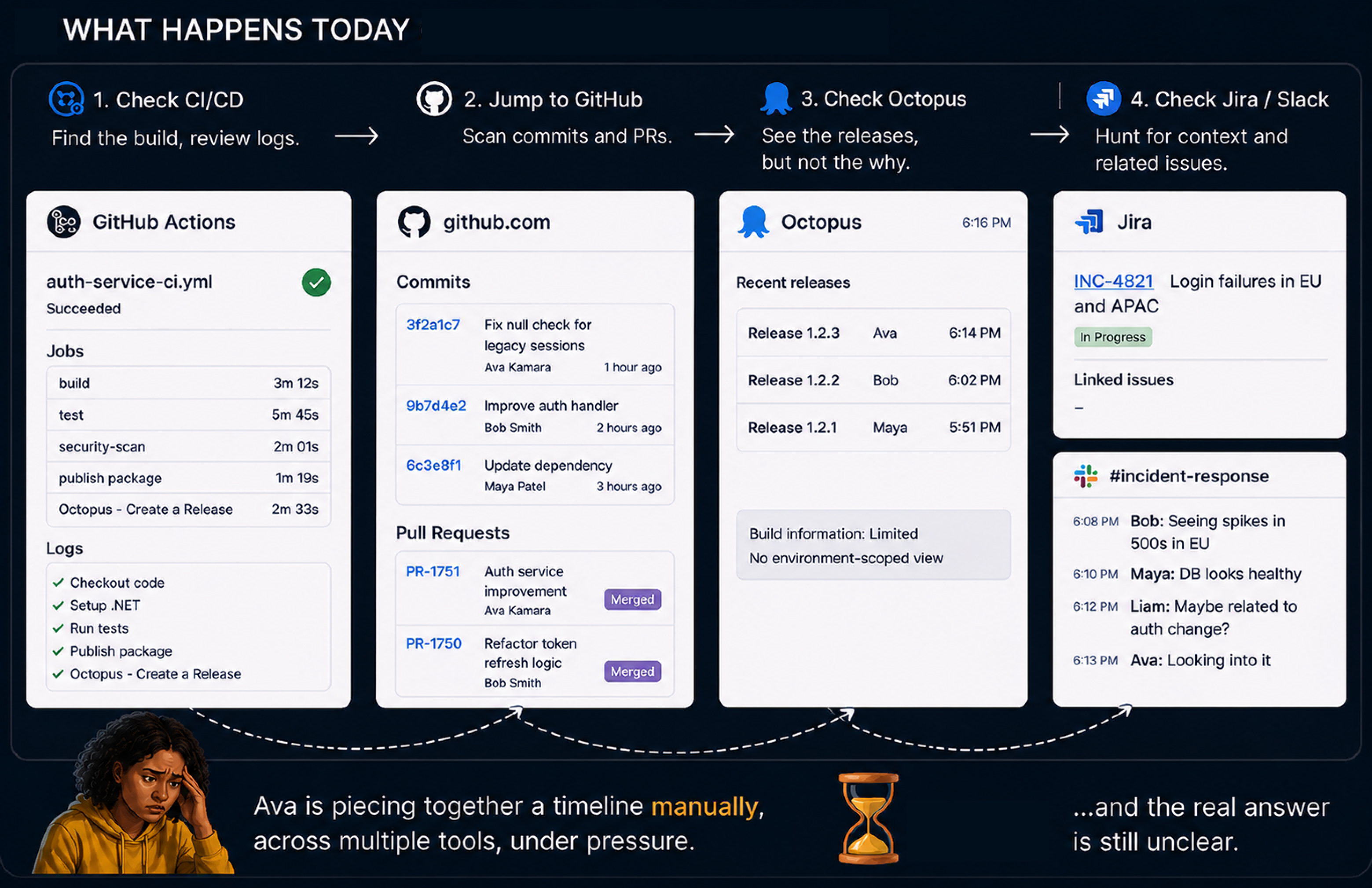
When something breaks in production, engineering teams need to know what changed and when. Piecing that together from existing tools meant jumping between multiple screens and manually correlating deployment events across environments.
- No unified view: teams visited each environment individually to see what had been deployed, making patterns and regressions hard to spot.
- Slow triage: without a clear timeline of changes, diagnosing which deployment introduced a problem was time-consuming and error-prone.
- Lack of context: deployment history existed, but lacked the visual structure to surface meaningful signals quickly.
Research & discovery
I facilitated sessions with engineering leads and Octopus product teams to map how teams currently investigate deployment issues, then interviewed users across three roles.
- Engineers wanted a single view of all environment activity in time order, without switching contexts.
- Team leads needed to compare deployment states across environments to catch regressions early.
- DevOps practitioners wanted clear signals about which deployment introduced a change, reducing mean time to resolve.
Ideation & user flows
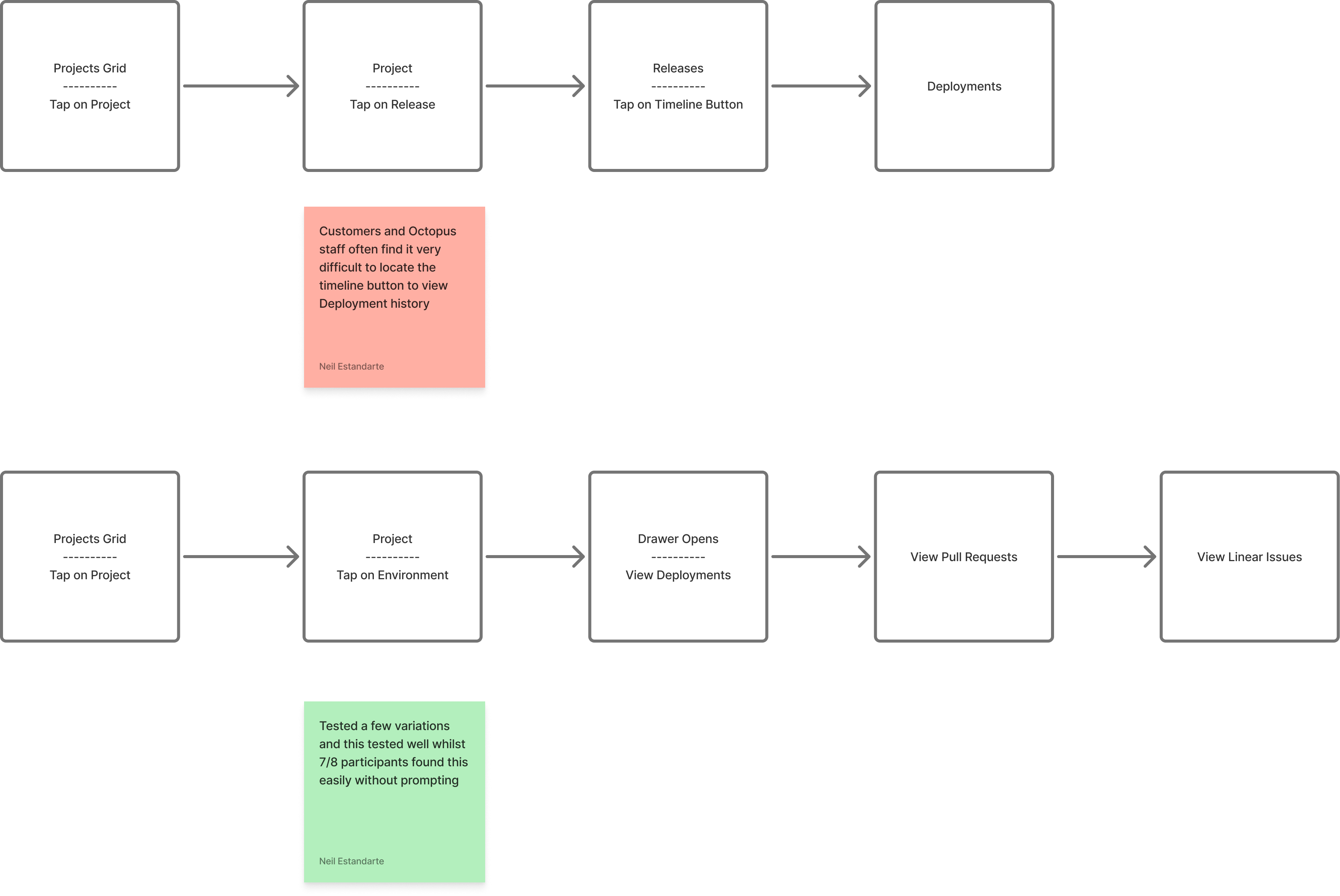
Using research insights, we explored how to make environment activity scannable and actionable.
- Map user journeys: outlined the triage flow from incident alert to root cause, focusing on where a timeline adds the most value.
- Wireframing: low-fidelity concepts exploring timeline densities, grouping strategies, and interaction patterns.
- Refine & iterate: iterative feedback sessions with engineering users validated which signals and filters mattered most.
Outcomes
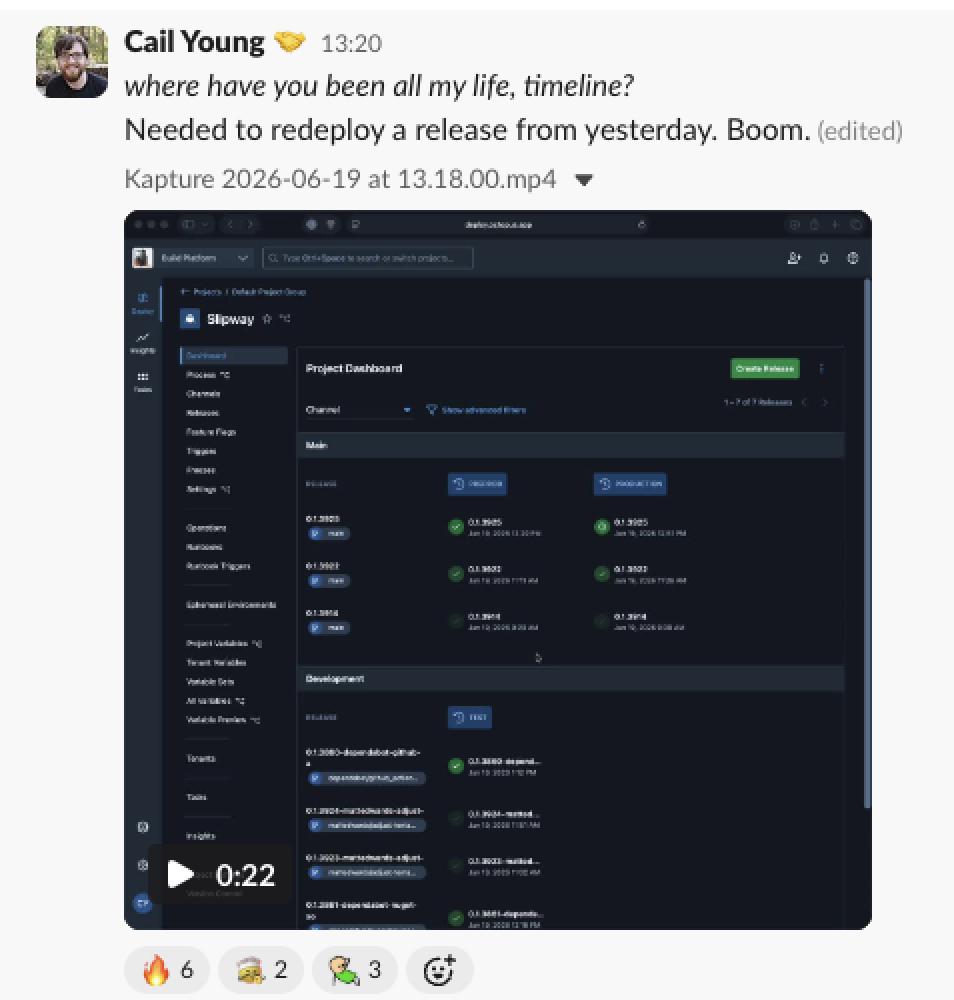
A timeline that makes deployment history scannable
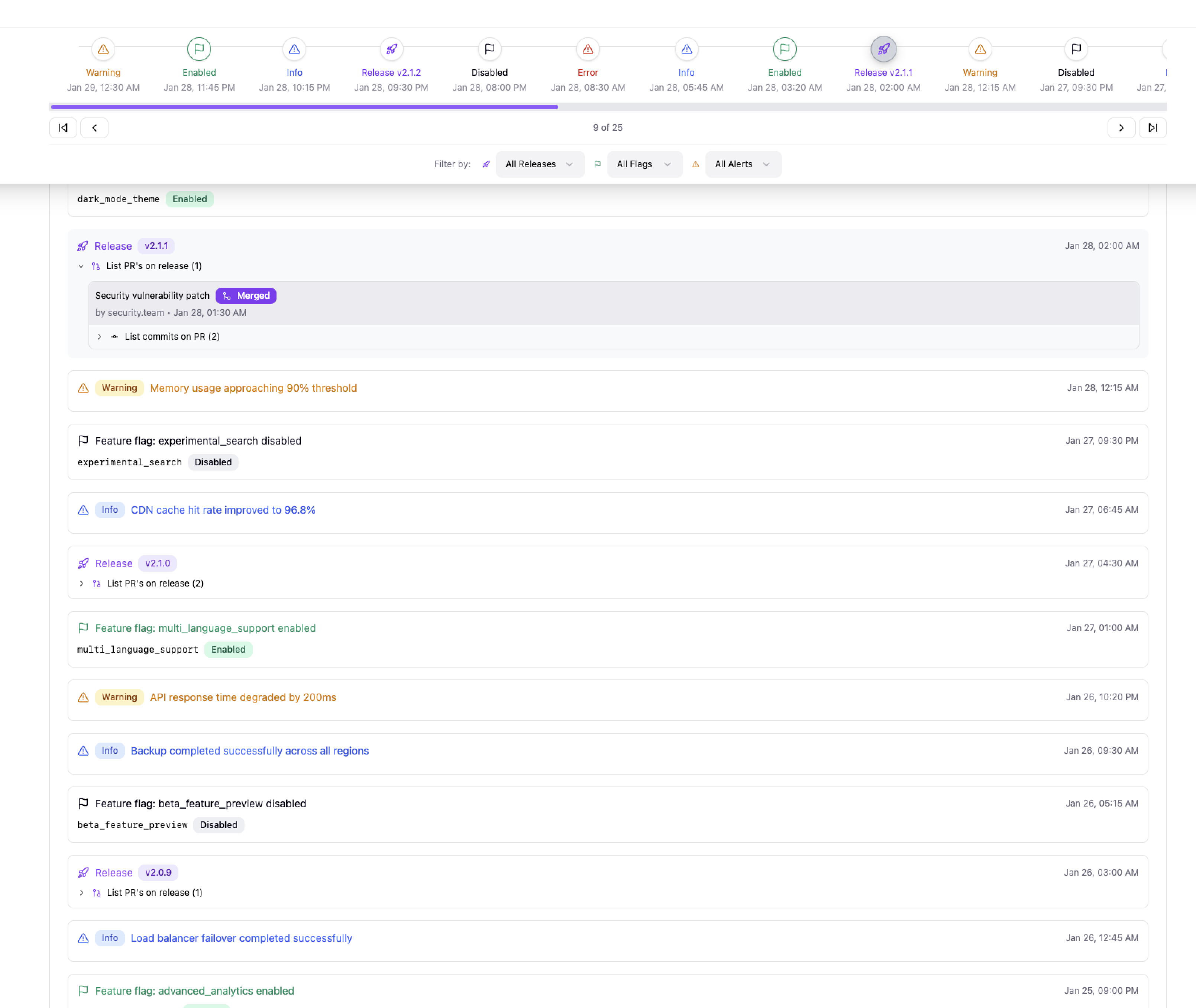
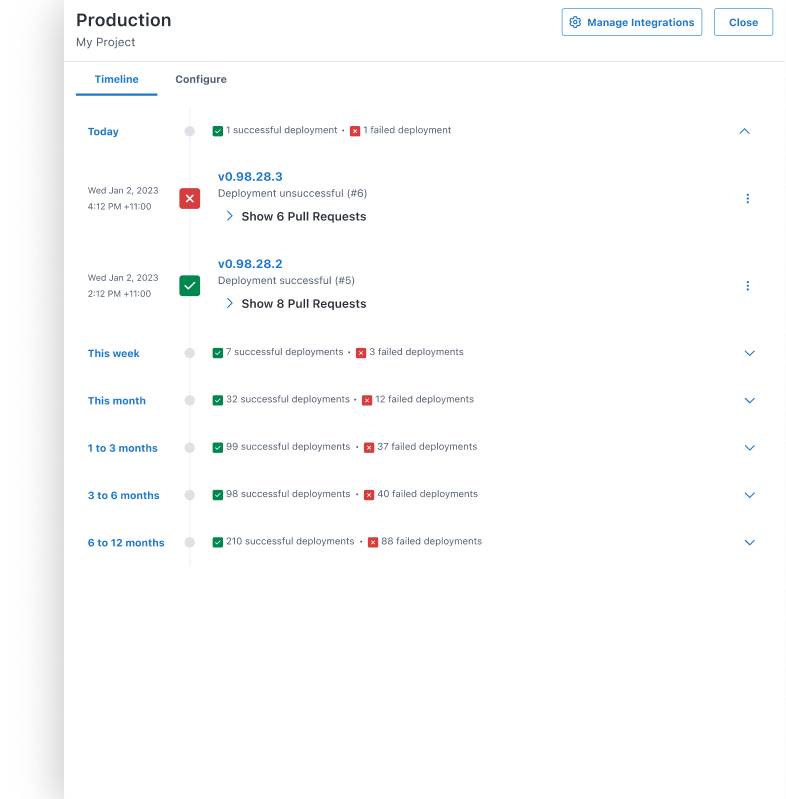
- Chronological view of all deployment events across environments, filterable by project, environment, and time range.
- Visual markers highlight when changes were introduced, making regression spotting immediate.
- Faster triage: what previously required navigating multiple screens now surfaces in a single view.
Faster incident response
- Pinpoint the culprit without manually cross-referencing logs.
- Clear before/after states for each environment reduce ambiguity during investigation.
- Lower cognitive load during high-pressure triage, a highlight of user feedback.